The easiest way to create professional virtual tours.
Describe a space, upload a few photos, or bring your own 360° images. VirtualTourEasy turns them into an immersive 360° tour — and a cinematic video — in minutes.
Turn any tour into a polished walkthrough, a drone-style reveal or a vertical teaser for Reels, TikTok and Shorts — with an AI soundtrack, ambient sound or your own voice-over. No editor needed.
Showcases, walkthroughs & reveals — styled templates, ready in minutes
Horizontal and vertical — for your website, MLS, YouTube and social
Sound that fits — AI music moods, ambient sound or your own voice-over
Download, embed or share — one link, every channel
Everything agencies, brokers and hospitality teams need to publish, brand, measure and sell — without extra tools.
Visual Tour Builder
Drag and drop panoramas, add hotspots, set initial views, and preview in real-time. Multi-scene support with smooth transitions.
builder.virtualtoureasy.com
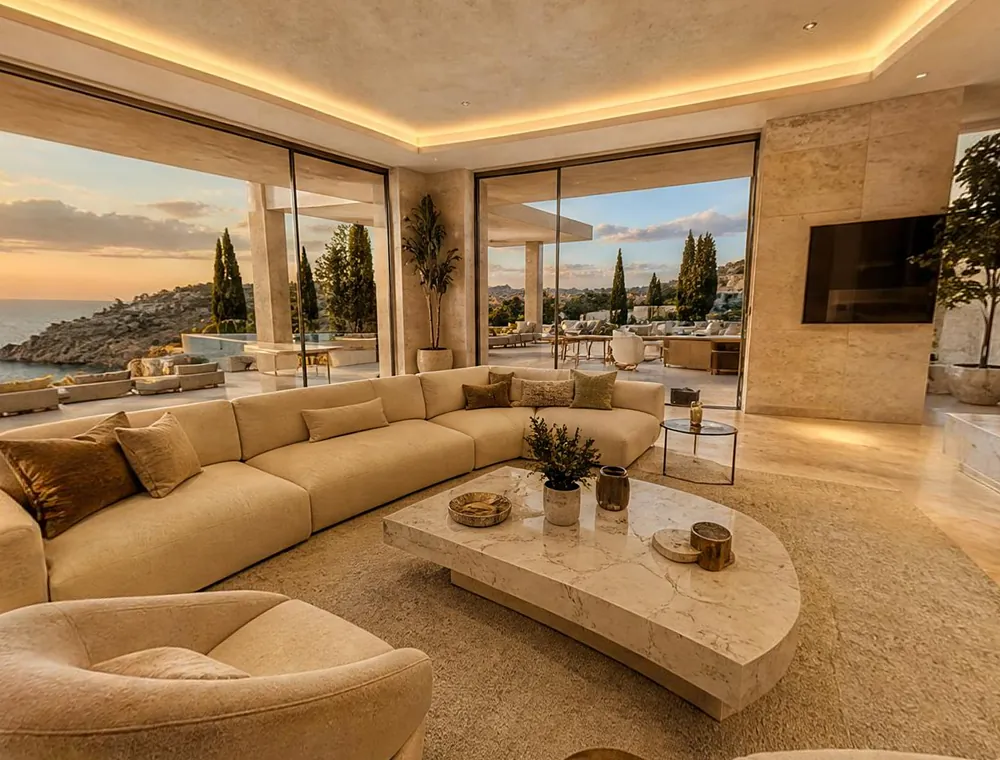
Sea-view terraceTravertine floors · Info
White-Label Branding
Remove VTE branding, add your logo and colors — and on Business, serve tours from your own domain.
tours.youragency.com
Interactive Hotspots
Add navigation hotspots, info panels, links, and overlays. Drag to position anywhere in 3D space.
Lead Generation
Capture contact requests inside your tours — name, email, phone and message, delivered straight to you.
Visitor Analytics & Tracking
Views, unique visitors, session time, devices and countries for every tour. Connect GA4, GTM or any pixel on Business.
Google Street View Publishing
Publish tours directly to Google Maps Street View with one click. GPS-tagged scenes appear on your business listing automatically — more visibility, zero extra work.
API & MCP Access
Create, update, list, and export MLS-friendly tour URLs from Claude, n8n, Zapier, or your backend. Full REST API and MCP server included.
REST APIMCP serverZapiern8nClaude
Branded tour channel
Your own branded Virtual Tour Channel — a public gallery of all your published tours. Searchable, filterable, and shareable with clients.
Team Collaboration
Invite team members and assign roles — admin, editor, or viewer. Create, edit, and manage tours together. Built for agencies handling multiple clients.
AI Photo Studio
Fix and enlarge any photo: automatic 4× upscale, noise reduction and detail enhancement — and when a photo is too narrow, AI expands it into a seamless wide panorama.
Why teams switch
The old way takes days. This takes minutes.
Professional virtual tours used to mean special cameras, site visits and desktop software. Not anymore.
The traditional way
VirtualTourEasy
Equipment
360° camera, tripod and accessories
Nothing — or the camera you already have
Capture
An on-site shoot for every space
Describe it, upload photos or paste a link
Building
Desktop software with a learning curve
AI-linked scenes and a drag-and-drop builder
Video
A videographer or an editor
AI video from the same tour, in minutes
Publishing
Separate uploads for every platform
One link, embed code, Street View and social
Time to first tour
Days to weeks
About 10 minutes
Getting started
From zero to published in three steps.
No camera. No software. No learning curve. Just three steps.
1~2 minutes
Create Your Scene
Upload your 360° photos — or let AI generate scenes from any regular photo or a text description. No special equipment needed.
360° photosPhone photosText promptListing link
2~5 minutes
Build Your Tour
Drag scenes into order. Add hotspots, audio narration, and a map pin. Everything visual — no code, no config files.
HotspotsInfo panelsAudioMap
3~1 minute
Publish & Share
Hit publish. Share the link on WhatsApp, email, your site, or Google Maps. Your tour is live worldwide instantly.
Direct linkEmbedStreet ViewSocial
Total time: about 10 minutes.
That's less time than writing a property description.
Industries
Built for spaces that sell themselves.
Workflows, examples and features tuned for the teams that use virtual tours every day.
Virtual tours let you showcase any space interactively — before someone visits in person. Real estate agents use them to attract remote buyers. Hotels use them to convert hesitant bookers. Restaurants, schools, museums, retail stores, and event venues all use them to build trust and drive decisions. Studies show listings with virtual tours get 87% more views and close faster.
Correct — VTE is the only platform where you don't need one. You can type a description and AI generates a full 360° scene, upload any regular photo and AI converts it to a panorama, or use your own 360° images if you have them. All three methods produce publish-ready virtual tours.
Most users publish their first tour in under 15 minutes. Upload or generate your panoramas, add hotspots to connect scenes, set your starting view, and hit publish. The drag-and-drop builder requires zero technical knowledge.
Yes. Upload equirectangular 360° photos from any camera — Insta360, Ricoh Theta, a DSLR rig or a phone panorama app — and build your tour the same way. You can mix your own 360° shots with AI-generated scenes in one tour.
Yes. Export any tour as a walkthrough video, or generate AI videos — cinematic showcases, drone-style reveals and vertical teasers for Reels, TikTok and Shorts — with an AI soundtrack, ambient sound or your own voice-over. Video is included on the Professional and Business plans.
AI features run on credits. You always see the credit cost before you generate: a standard AI scene uses a few credits, photo enhancement less, and AI video is billed per second. Solo includes 100 credits a month, Professional 500 and Business 1,500 — and you can top up anytime (20% off on Professional and Business).
Yes, on every plan including Free. Each published tour comes with a shareable link and an embed code — paste one <iframe> line into any website, Squarespace, WordPress, Wix, or CMS. Tours are fully responsive on desktop, tablet, and mobile.
Yes. Solo removes the VTE watermark and lets you add your own logo and colors. Business lets you serve tours from your own domain (e.g. tours.yourdomain.com) with automatic SSL.
No contracts, ever. Cancel anytime from your account in seconds. Plans are billed monthly — cancel anytime and you keep access until the end of your current billing period.
Your first tour is 10 minutes away.
Start free — no credit card, no 360° camera, no learning curve.